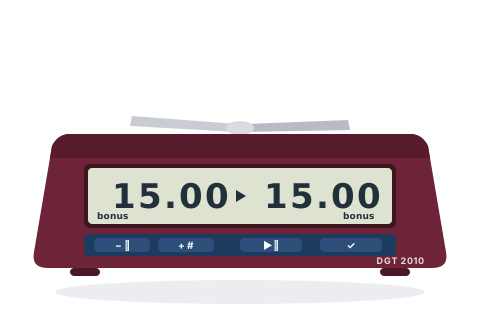
Superseded by the DGT 2500, but still the clock you will most often find in a club cupboard.
Before you start
Press the ON/OFF button on the underside of the clock. The last-used option number blinks on the display.
Choose an option number with + / −, then press ✔ to select it.
Whenever a digit blinks, change it with + / − and press ✔ to accept it and move on.
When the pause symbol shows, put the lever up on White's side and press ▶⏸ to start.
Set the popular time controls
Pick the control you are playing and follow the steps — nothing here needs the manual.
15+10
Rapid — 15 minutes + 10 seconds a move
The standard FIDE rapid control, and the flow for any other increment control too.
Option 18
Choose Option 18 and press ✔.
Set the left player's time to 0:15, pressing ✔ after each digit, then leave the seconds screen at .00.
Do the same for the right player.
Set the bonus to 0.10 for the left player, then for the right player.
Lever up on White's side, then press ▶⏸.
15 minutes each, plus 10 seconds added after every move. Use the same option with different numbers for 10+5, 60+10, 60+30 or any other single-period increment control.
5+0
Blitz — 5 minutes each
Traditional five-minute blitz, ready in three presses.
Option 01
Choose Option 01 and press ✔ — both sides show 5.00.
Lever up on White's side, then press ▶⏸.
Each player has 5 minutes for all their moves, nothing added.
3+2
Blitz — 3 minutes + 2 seconds a move
The online-style blitz control, as a built-in preset.
Option 15
Choose Option 15 and press ✔.
Lever up on White's side, then press ▶⏸.
3 minutes each, plus 2 seconds after every move.
25+10
Rapidplay — 25 minutes + 10 seconds a move
The control most ECF rapidplay congresses use.
Option 16
Choose Option 16 and press ✔.
Lever up on White's side, then press ▶⏸.
25 minutes each, plus 10 seconds after every move.
90+30
Classical — 90 minutes + 30 seconds a move
The standard long-play control for congresses and leagues.
Option 17
Choose Option 17 and press ✔.
Lever up on White's side, then press ▶⏸.
An hour and a half each, plus 30 seconds after every move.
Custom
Any plain time — including different times each player
Casual games, 10+0 or 15+0 quick games, and odds games where the players get unequal times.
Option 03
Choose Option 03 and press ✔.
Set the left player's time digit by digit (+ / − to change, ✔ to accept).
Set the right player's time — it does not have to match.
Lever up on White's side, then press ▶⏸.
Each player has exactly the time you gave them, nothing added. Option 18 works the same way if you also want an increment — even a different increment per player.
Tips and troubleshooting
Made a mistake? Switch the clock off and on again and start over.
A short press of ▶⏸ pauses the game; hold it about 3 seconds to correct the times mid-game.
Beeps are off by default on the chess options — press − while the clock is stopped to toggle them.
Below 20 minutes the display switches from hours:minutes to minutes.seconds. That is normal, not a fault.
A blinking flag means that player is out of time. In plain time options the other clock keeps running, so leave the clock alone until the result is agreed.
The 2010 has no US-style delay — for delay games use its Bronstein options (22–25), or a clock that supports delay.